|
The Calendar View
Navigating to the Calendar
From the web application menu, go to Dashboard, then select the specific dashboard where the calendar has been configured.
This will open the selected dashboard and display the calendar along with other items.
Calendar Behavior and Features
- The calendar automatically adjusts its height and width based on the dashboard designer’s settings, unless a fixed height has been specified.
- The calendar opens in Month view by default, starting from the current date.
- Dates and times are localized to match the user’s locality and time zone.
- The calendar only loads data for the visible time range (weeks, months, or years), improving performance.
- A collapsible left-hand panel provides access to filters, where components and their statuses are grouped, auto-synced, and sorted for easier calendar management.
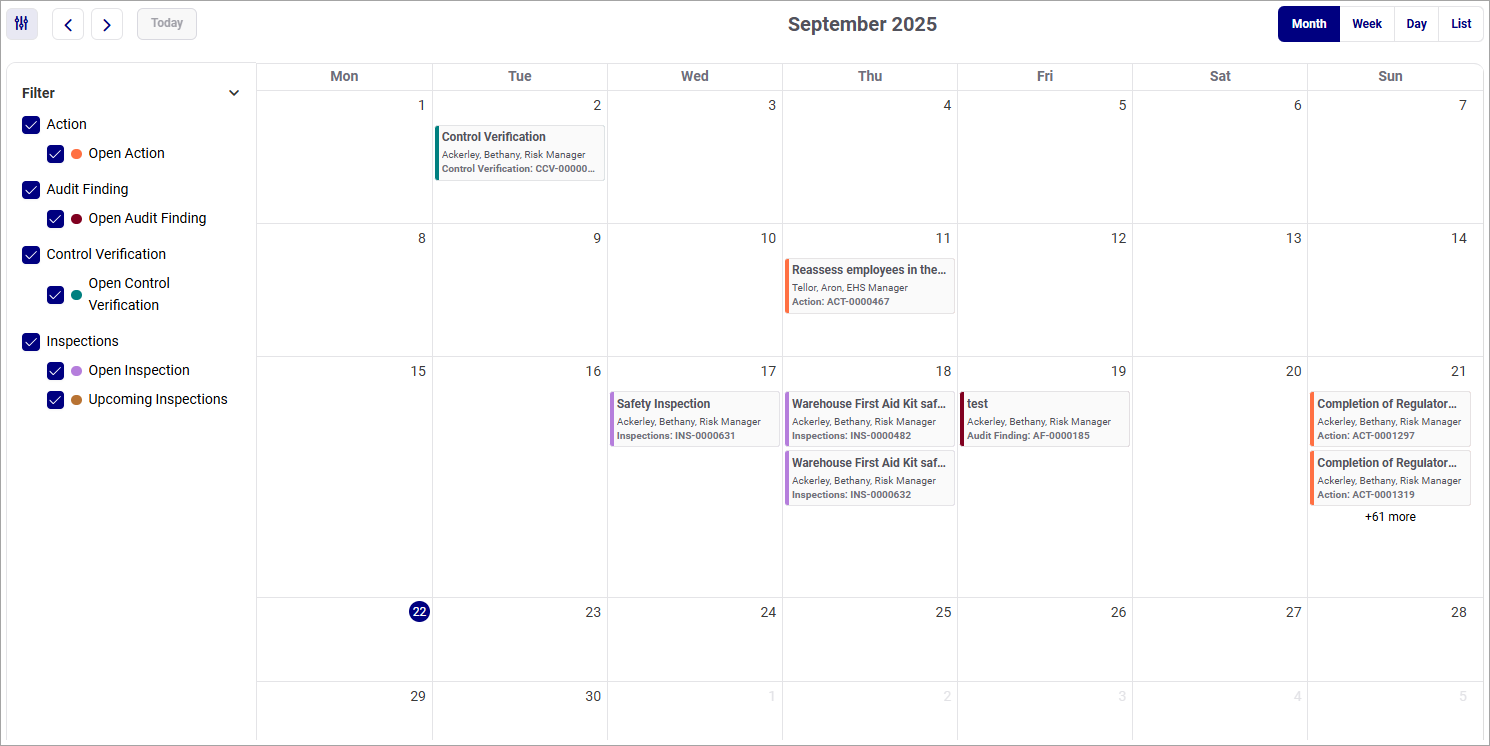
|


