Notifications & Broadcast

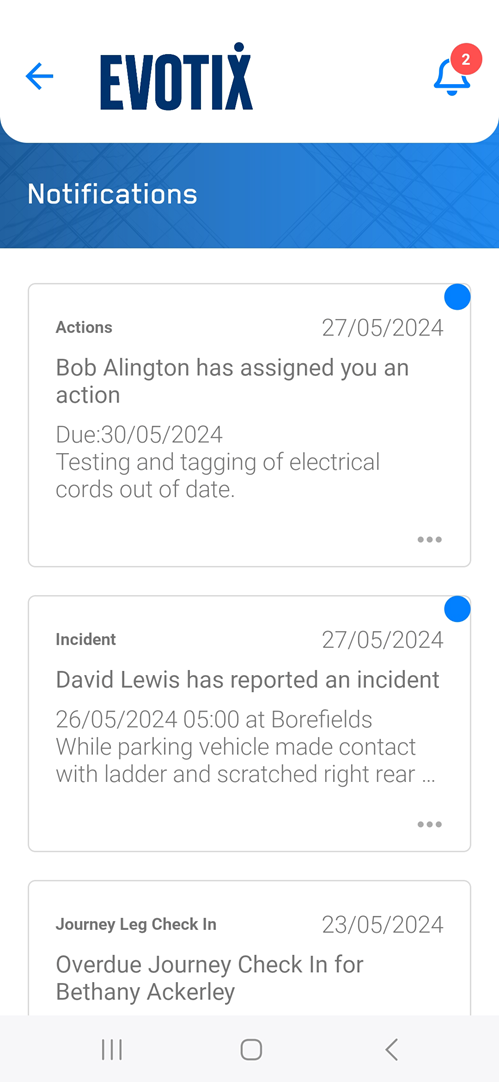
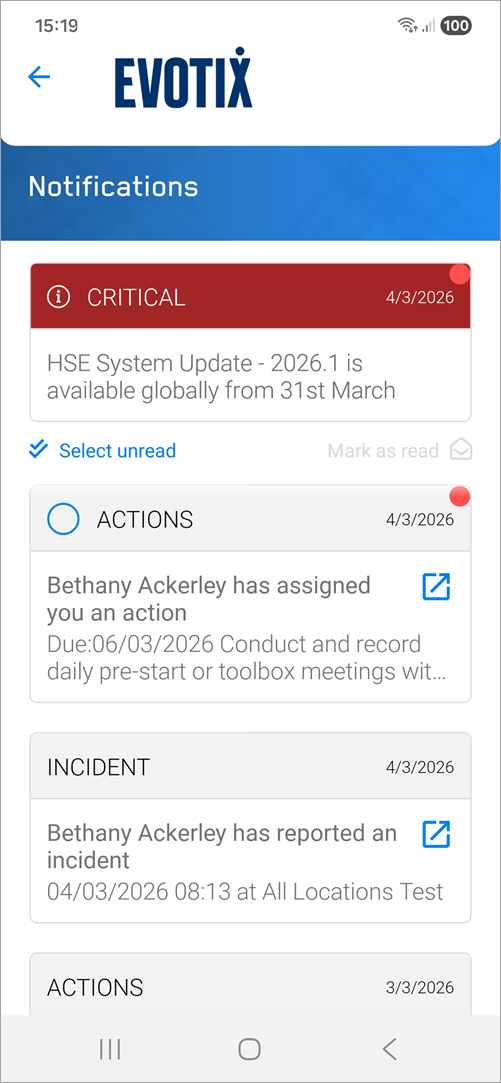
While on-line, users can view a list of received Broadcast messages and Notifications and open the related records.

Roam - Notifications Roam - Broadcast

New Tasks

For the task of ...

I need to ...

Reading a Broadcast message

A broadcast message will be located at the top of the notifications page.

To view the complete Broadcast, tap on the tile to open it.

Broadcast messages cannot be 'Dismissed' on Roam as they can in the Web Application. The message will remain displayed until it is deactivated.

Identifying unread Notifications

Unread Notifications will show a blue highlight - as shown in the first record in the above example.

Expanding the tile to see the full content.

To view the complete Notification message, tap on the notification 'tile'.

Opening the record

While on the list or when the Notification is expanded:
tap on the roam_icon_open_notification icon.

See Also

Navigation in Roam

Settings and Admin

Home

New & In Progress

My Tasks & My History

Search

Location Aware