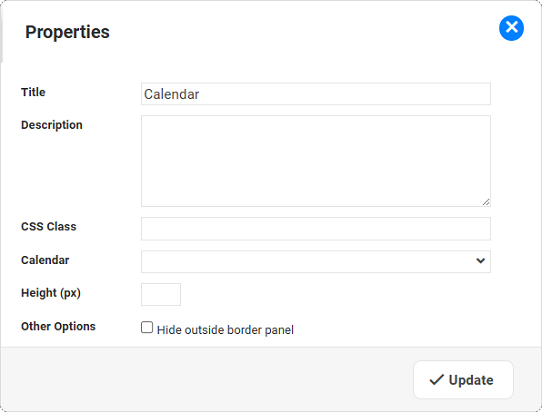
Calendar Widget Properties
|
For the task of ...
|
I need to ...
|
Defining the Title for this Widget
|
Update the Title
|
Adding a Description for this Widget
|
Update the Description (optional)
|
Applying a specific style to the widget
|
A CSS Class can be used by Designers to apply specific CSS to the widget, enhancing the ability to individually style widgets.
|
Selecting the Calendar
|
Select a Calendar from the available list of Calendars.
|
Adjusting the "Height" of the Calendar
|
You have two options:
- To make use of the FULL screen height:
leave the field Height (px) empty - To set the height:
Set a value for the field Height (px).
|
Showing a Calendar without the border panel and a title
|
Select the Other options: Hide outside border panel.
|